How HDIS Works
Last updated: May 22, 2026
HDIS is unusual in a few ways — ratings are tied to specific audio formats and system profiles, the overall score uses only your highest-tier ratings, and reputation unlocks Trusted Contributor status automatically. This page walks through all of it.
Introduction
How Does It Sound (HDIS) rates how movies sound — not whether they're good movies. We're the IMDB / Rotten Tomatoes of audio quality, built for home theater enthusiasts who care about Dolby Atmos mixing, surround envelopment, and bass impact.
Anyone can browse movies, read reviews, and explore lists. To rate, review, or build your own "Best on My System" list, sign in with Google — we don't store passwords. Your audio gear, your room, and your ratings stay tied to your account.
This page explains the parts of HDIS that aren't obvious at first glance. If something still doesn't make sense after reading, scroll to the bottom and send us a note.
Rating a movie
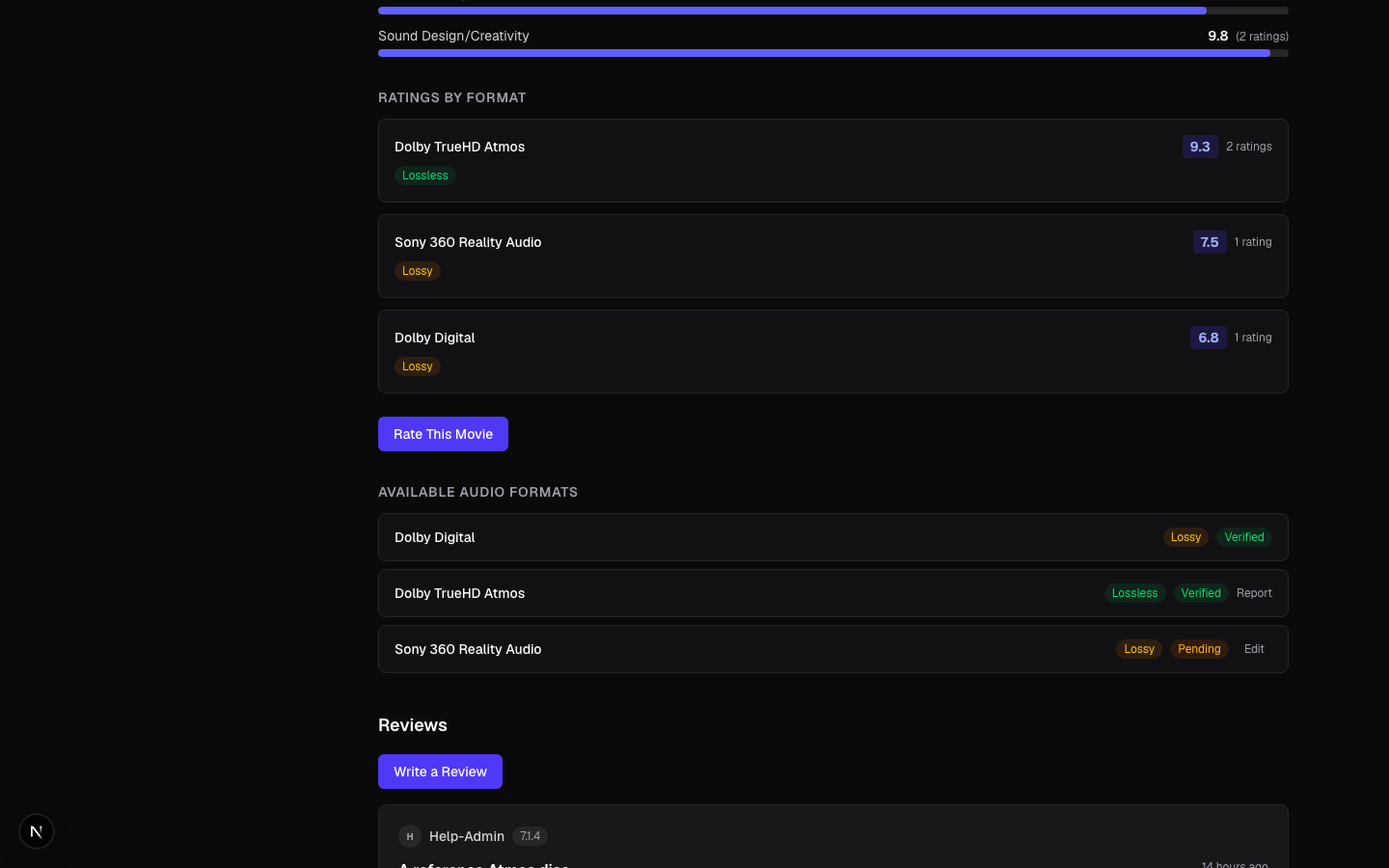
Every rating on HDIS is tied to three things together: the movie, the specific audio format you heard it in, and the system profile you watched it on. Same movie + same format on a different system — for example, your living-room 9.2.4 vs. your bedroom 5.1 — counts as a separate rating.
That's on purpose. A TrueHD Atmos mix on a 9-channel rig can sound transcendent; the same mix on a 2.0 setup can sound flat. Folding both into one rating throws away information other users want.
Six sub-ratings, at least one required
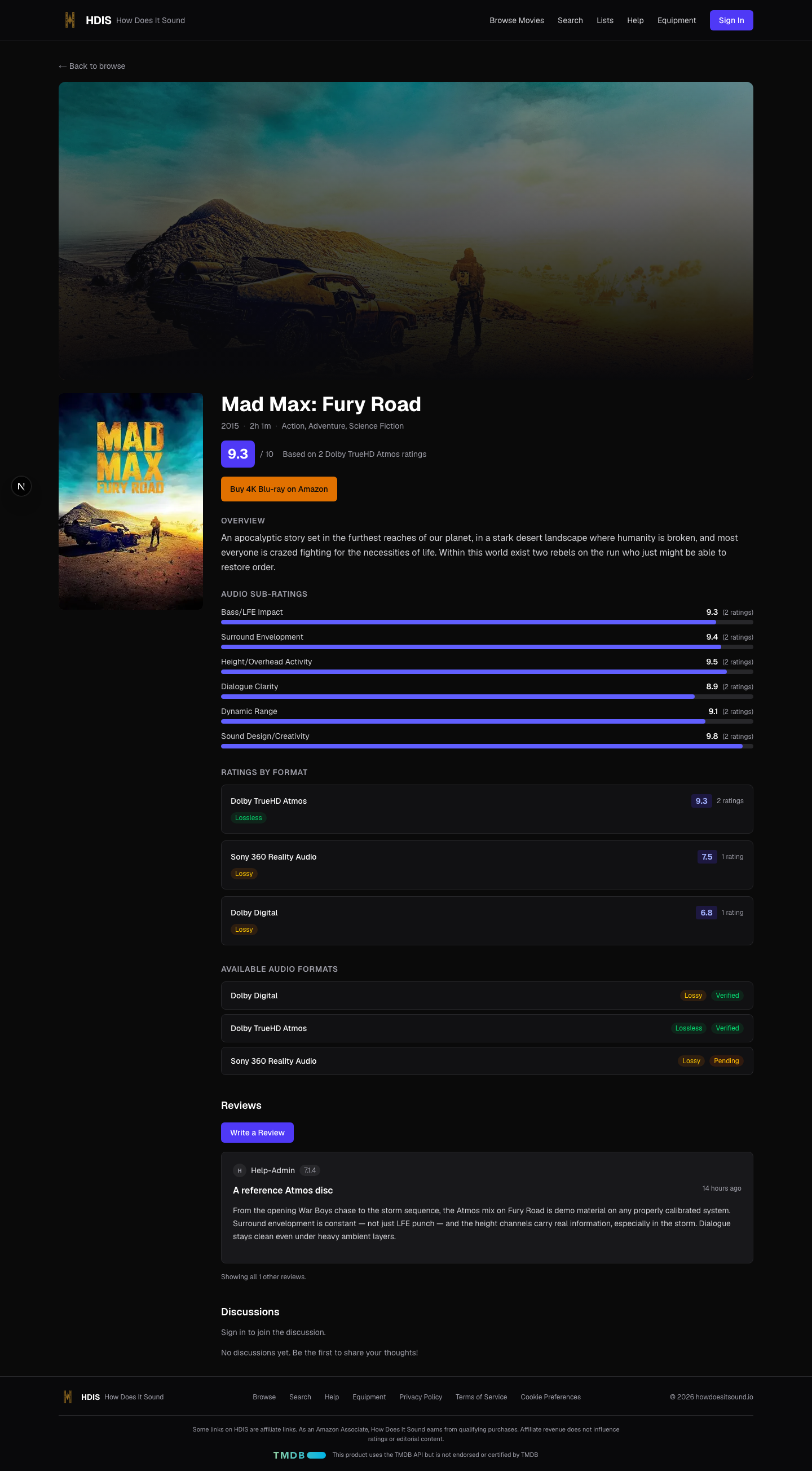
The rating form has six 1.0–10.0 sliders, all optional individually:
- Bass / LFE Impact — subwoofer punch and depth
- Surround Envelopment — how much you feel inside the scene
- Height / Overhead Activity — Atmos / DTS:X height channels
- Dialogue Clarity — how clean voices sound in the mix
- Dynamic Range — quiet-to-loud separation
- Sound Design / Creativity — how interesting the mix is
You must rate at least one. The overall 1.0–10.0 score is computed by the server as the average of the sub-ratings you filled in — not entered by you directly.
Don't have height speakers?Leave Height blank. Watching on a soundbar without a sub? Skip Bass. "N/A" is a first-class choice; the average uses only the sliders you actually moved.

System profiles & venues
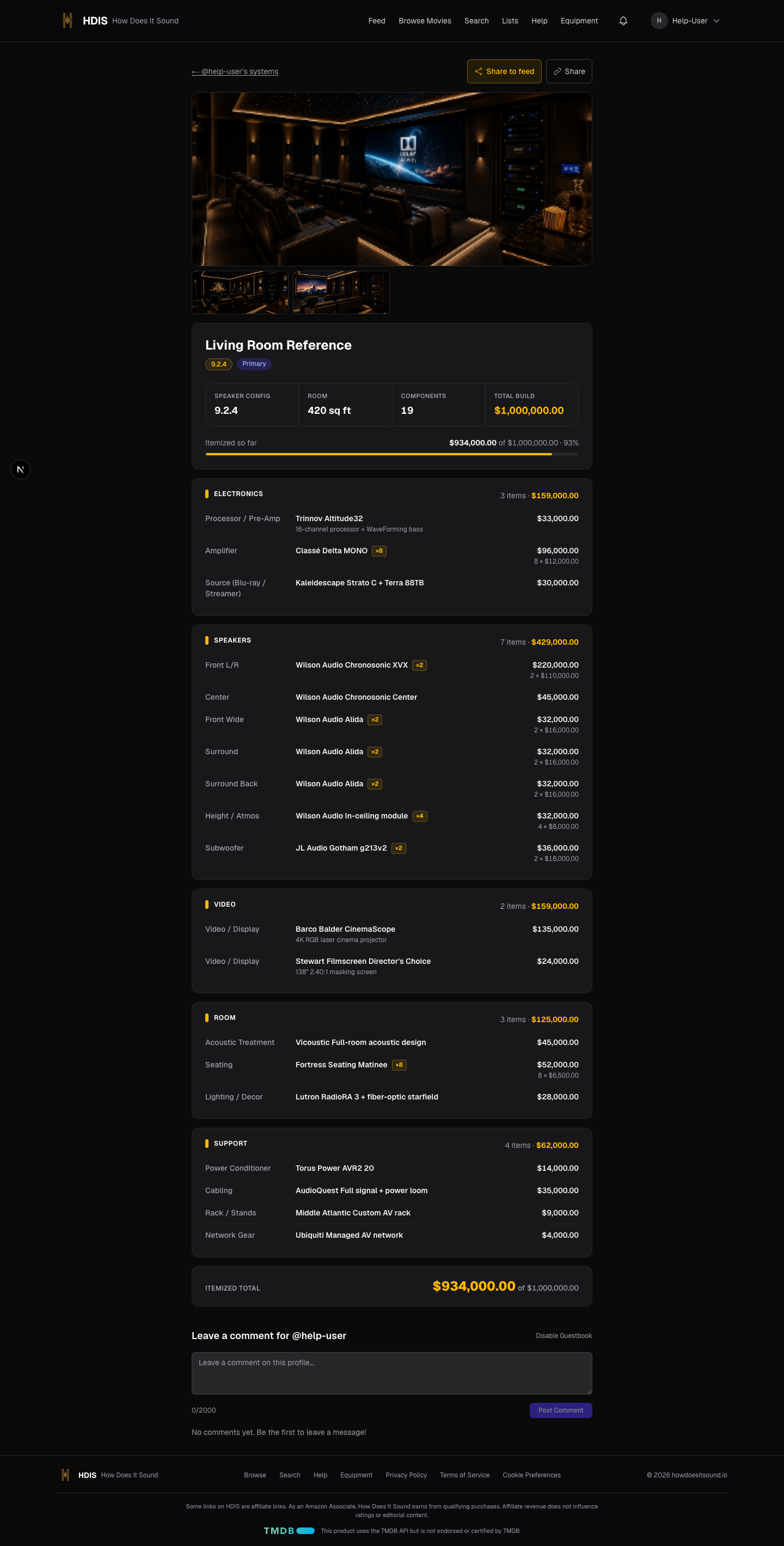
A system profile is a description of the gear you watched on: speaker configuration (e.g. 9.2.4), receiver, subwoofer, room details, total budget. You can keep up to 10 home theater profileson your account — useful if you have a main rig and a bedroom setup, or if you've upgraded over the years and want to re-rate old favorites on the new gear.
The Movie Theater profile
The first time you mark a rating as "at a theater," HDIS automatically creates a non-deletable Movie Theaterprofile on your account. You only ever get one of these regardless of how many theater ratings you submit. It doesn't count toward the 10-profile limit, and it's excluded from equipment statistics + the "Best on My System" list dropdown — the gear belongs to the theater, not to you.
Theater venues
Theater ratings can optionally tag a venue— the specific cinema you watched at (e.g. "AMC IMAX Downtown"). You can save up to 20 venues per account and reuse them across ratings. Venues are display metadata only: they show up next to the rating but don't affect uniqueness or score aggregation.
Two ratings of the same movie + same audio format are allowed if one is on a home profile and the other is in your Movie Theater profile — same movie sounds different in your room vs. a 2,000-seat IMAX.

Audio format lifecycle
When you rate a movie, you pick the audio format you watched in. HDIS keeps a master list of known formats (Dolby Digital, Dolby TrueHD Atmos, DTS:X, LPCM, and others). New movies start with no audio formats attached— the community fills them in as people rate.
Three lifecycle states
- VERIFIED— when you pick a format from the dropdown that matches the master list, it's added to the movie as VERIFIED automatically. No moderation needed for a known-good format.
- PENDING— when you pick "Other" and type a custom format name (e.g. an obscure regional codec), it's added as PENDING. Pending formats are visible to everyone but flagged for community review.
- REJECTED— if a Trusted Contributor or Admin reviews a format and decides it's wrong (typo, fake, mis-categorized), they reject it with a reason. Rejected formats are hidden from the movie's public listing. The submitter is notified and can edit + resubmit.
Who can verify / reject
Trusted Contributors, Moderators, and Admins can verify or reject pending formats from the Pending Audio Formats queue.
Editing a VERIFIED format resets it to PENDING so the next reviewer re-confirms the change. This is intentional: a verified entry is a community endorsement, and any change deserves a fresh look.

Score aggregation
This is the part of HDIS most people find surprising at first. Read it.
A movie's overall HDIS score uses only the highest-tier audio format anyone has rated it on. Lower-tier ratings show up in the per-format breakdown, but they don't drag the headline number down.
The four tiers
| Tier | Formats |
|---|---|
| Tier 4 | Dolby TrueHD Atmos · Dolby Digital Plus Atmos · DTS:X |
| Tier 3 | Dolby TrueHD · DTS-HD Master Audio · LPCM |
| Tier 2 | Dolby Digital Plus · DTS-HD High Resolution |
| Tier 1 | Dolby Digital · DTS · AAC · Other |
A worked example
Suppose Dune: Part Two has been rated:
- Dolby Digital (Tier 1) — 12 raters averaging 6.5
- Dolby TrueHD Atmos (Tier 4) — 8 raters averaging 9.0
The movie's overall score is 9.0, not the blended average. Tier 4 wins; the Tier 1 ratings are still shown in the per-format breakdown but contribute zero to the headline number.
Why this way
An Atmos mix on a proper rig shouldn't be dragged down by someone's Dolby Digital home-stream of the same movie. The lower-tier rating isn't wrong — the codec genuinely is worse — but it's a different listening experience. We surface both, separately. The headline reflects what the movie sounds like at its best.

Lists
HDIS has two kinds of user-curated lists.
Custom lists
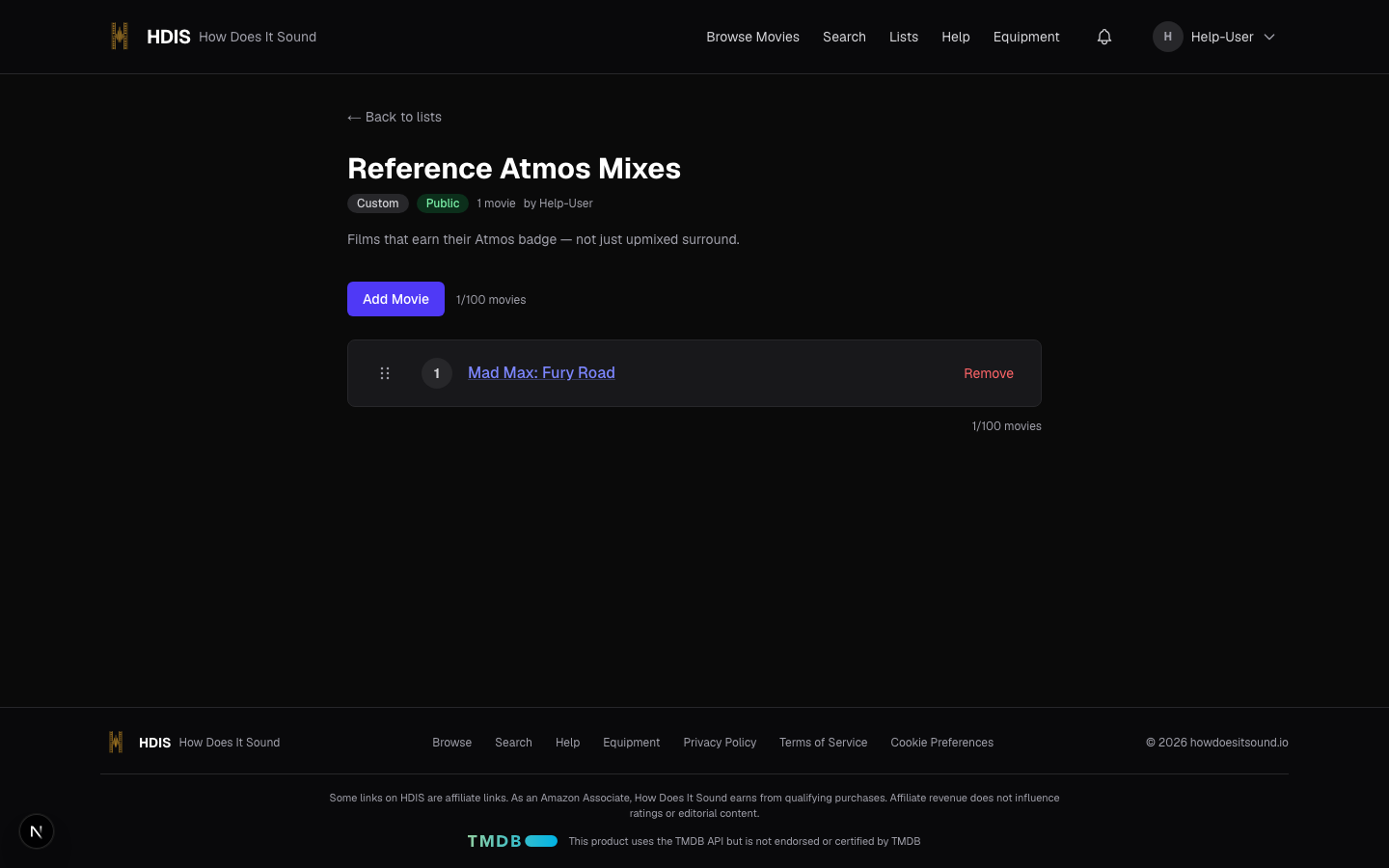
Free-form lists with any title and description you want: "Best Tarantino Atmos Mixes," "Movies That Made My Subwoofer Cry," whatever you like. You can pin a custom list to a specific system profile (or leave it profile-agnostic). They default to public; toggle a list private to hide it from search and other users.
Best on My System
The HDIS differentiator. A "Best on My System" list is tied to one specific system profileand ranks your top 10 movies on that exact gear. You can't make one without picking a system profile first — the whole point is that the answer depends on what you watched on.
Drag-and-drop to reorder. Keyboard reorder works too. The list shows up on your public profile, on the system profile detail page, and gets indexed for search.

Adding a movie to a list
Open a list, then use the Add Movie box to search by title and pick a result. New items land at the bottom of the list; drag the handle on the left of each row to reorder.

Browse movies
The Browse Movies page at /moviesis the catalog view — the whole library, with filters for genre and audio format, plus sort options (top-rated, recently rated, recently released). Use this when you want to explore by category rather than searching for a specific title. Audio-format filters only show formats that have at least one rating attached — new formats appear in the dropdown as the community starts using them.
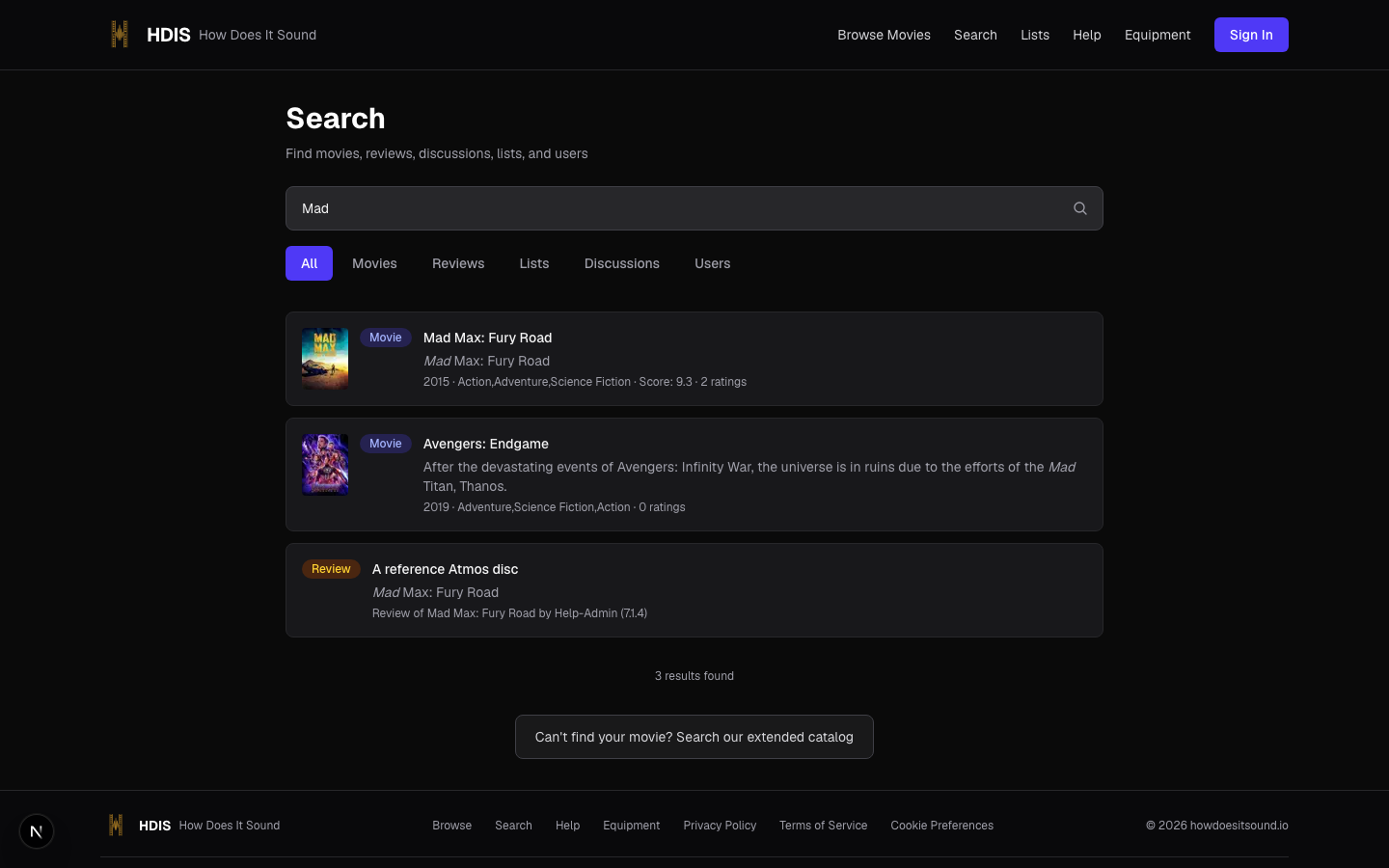
For a specific title, reviewer name, list, or quote from a discussion comment — jump to Search instead.

Search
The search box on HDIS searches across five entity types at once:
- Movies — by title, overview, or genre
- Reviews — by review body or reviewer
- Lists — by list title or description
- Discussions — by comment body
- Users — by display name
Results are grouped by type. Type a movie title ("Dune"), a reviewer name, or even a quote from a discussion comment.
On the Browse Movies page, the format filter dropdown lets you narrow to films that have at least one rating in a specific audio format. A format doesn't appear in the dropdown until someone's rated a movie in it — if you don't see Atmos there, no one's submitted an Atmos rating yet.

Notifications
HDIS notifies you in two places: the bell icon in the top nav (in-app notifications) and optionally via email. You control which categories email you on the notification preferences page.
Categories you control
- Guestbook — when someone comments on your profile guestbook
- Discussion replies — when someone replies to your discussion comment
- Review helpful votes — when someone marks your review as helpful
- Audio format status — when a format you submitted is verified or rejected
- Admin broadcasts — site-wide announcements from HDIS staff
- Digest mode — bundle notifications into a once-a-day email instead of real-time
Critical notifications — suspension, role changes, content removed by a moderator — always appear in-app regardless of email preferences.

Reputation & promotion
Reputation is HDIS's way of recognizing community contribution. Points accumulate automatically as you participate.
Point values
| Action | Points |
|---|---|
| Submit a rating | +2 |
| Write a review | +5 |
| Helpful vote on your review | +1 |
| Submit an audio format (with a rating) | +3 |
| Your audio format is rejected | −3 |
| A flag is upheld against your content | −5 |
Trusted Contributor promotion
Promotion from User to Trusted Contributoris automatic and one-way. It's based on how active you are on the site — a combination of your reputation score, how many ratings and reviews you've contributed, and how long your account has been around. Stay engaged and it happens on its own.
Promotion is checked after every reputation event. It's one-way— reputation drops never demote you, but a Trusted Contributor with too many upheld flags can still be suspended.
Moderator and Admin roles are manually assigned by HDIS staff — there's no automatic path to them.

FAQ
Short answers to questions that come up a lot.
Why can I rate the same movie twice?
Because the rating is keyed on movie + audio format + system profile. If you watch Duneon TrueHD Atmos on your 9.2.4, then again on Dolby Digital on your bedroom 5.1, those are two separate experiences and HDIS keeps them separate. You can't double-rate the same combination though — editing replaces the previous one.
I gave a movie a low score and nothing happened to its overall rating. Why?
Best-available-format aggregation. The overall score only uses ratings from the highest tier of audio format anyone's rated the movie in. If you rated on Tier 1 but others have rated on Tier 4 (Atmos / DTS:X), only the Tier 4 ratings affect the headline number. Your rating is still shown in the per-format breakdown. See the Score aggregation section for the full explanation.
Can I edit a rating after submitting?
Yes. Find the rating on the movie detail page and click Edit. Reputation points are not affected by edits. The movie's aggregate score recomputes automatically.
Why don't I see Atmos in the format filter dropdown for this movie?
Format options appear once at least one rating exists in that format. If no one's rated thismovie in Atmos, it won't show up in this movie's filter. New movies start with no audio formats at all — users add them by rating.
What's a system profile and why do I need one to rate?
See the System profiles & venues section. Short version: a system profile is your audio gear setup. Ratings attach to a profile so other users can see what was used.
How do I delete my account?
Email privacy@howdoesitsound.io from the address tied to your account. We soft-delete on request and hard-delete after 30 days. Full details in our Privacy Policy.
Contact
Question, bug report, or feedback? Send us a note. Messages go to the HDIS team and we read every one. For privacy or account-deletion requests, email privacy@howdoesitsound.io directly — that goes to the privacy mailbox specifically.